


If you've ever installed a diary app, used it for three days, and then forgot it existed, you're not alone.
Long entries feel heavy. Social feeds are distracting. But you still want some record of your everyday life – something light, quiet, and easy to keep up with.
That's exactly the gap Mosaic Memory tries to fill: a minimal iPhone diary app that turns your days into a simple grid of tiles.
- Free to start – no payment required to try
- One-time Pro upgrade for no ads, iCloud sync & premium themes
- Mosaic grid view that makes logging feel rewarding
What is Mosaic Memory?
Mosaic Memory is an iOS-only app (iPhone / iPad) for keeping a simple, text-first life log.
Instead of writing long paragraphs, you add small "tiles" of text – a short note, a highlight, a thought from the day. Over time, those tiles line up in a mosaic-style grid, so you can literally see your days piling up.
- Platform: iOS (iPhone / iPad)
- Style: minimal, distraction-free UI
- Concept: one day, one tile – your month or year as a grid
- Pricing: free to start, with an optional one-time Pro upgrade
It sits somewhere between a classic diary app and a life log app: lighter than a full journal, but more intentional than random notes.
Key Features of Mosaic Memory
1. Month & Year Views in a Mosaic Grid
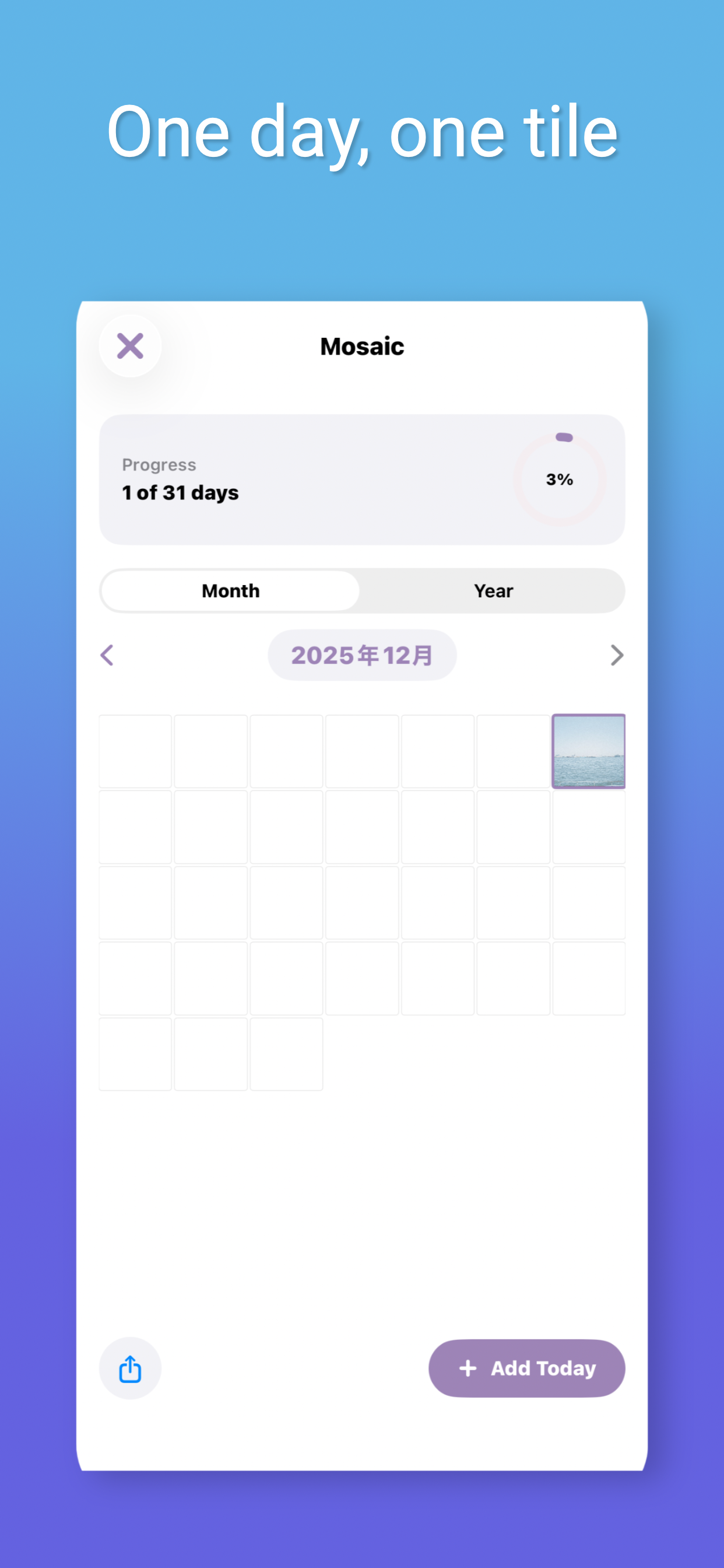
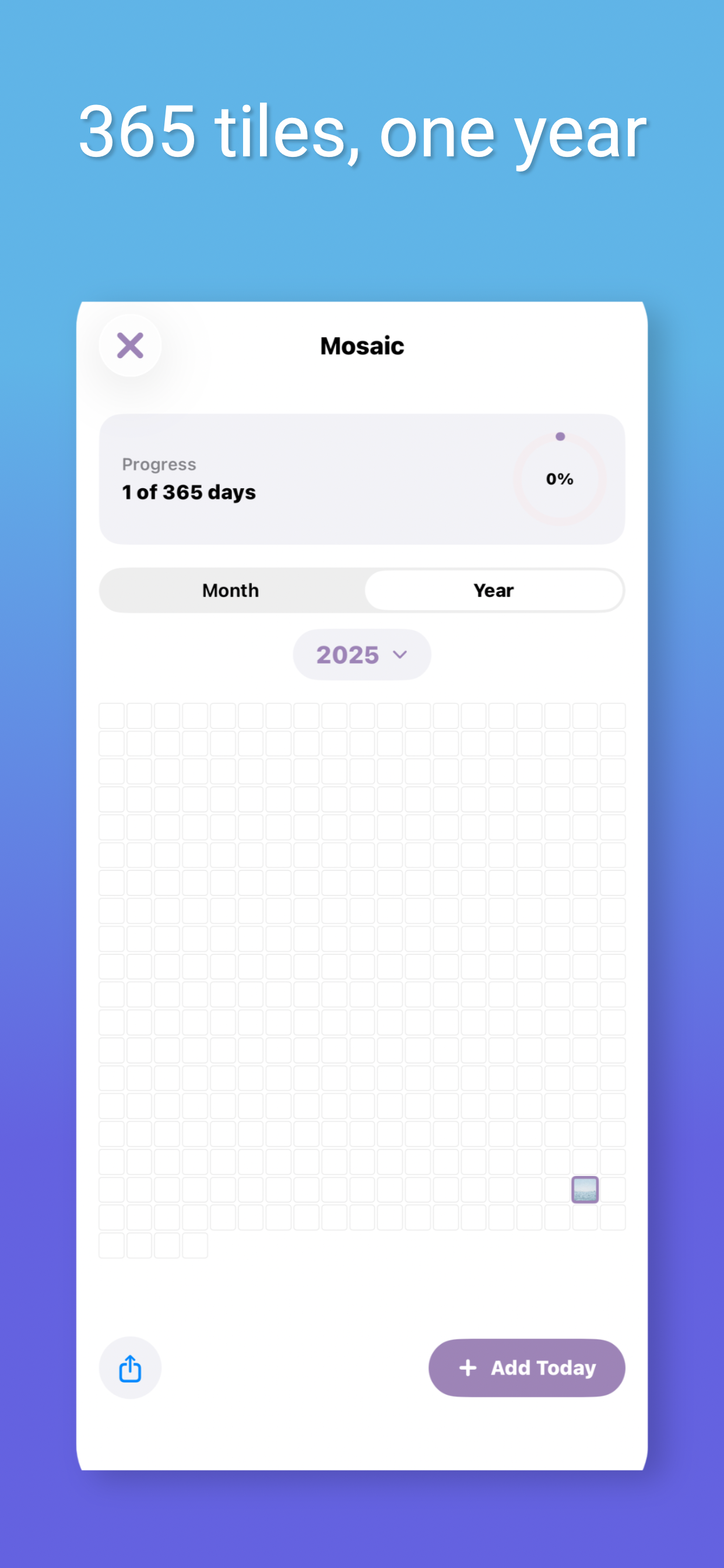
The main screen of Mosaic Memory is a clean grid view:
| View | Description |
|---|---|
| Month view | Each day is a square tile. Logged days fill with color. |
| Year view | A 365-tile grid to see your entire year at a glance. |
The grid creates a sense of "I'm slowly filling this canvas", which is surprisingly motivating for maintaining a daily habit.
2. Text-First, Low-Pressure Journaling
Mosaic Memory is built as a text-first, low-pressure diary:
- You can write just one line a day if you want
- Jot down a quick highlight, a feeling, or something you don't want to forget
- Each entry corresponds to a tile, encouraging small, consistent logging
If you've struggled to keep up with traditional diary apps, this kind of one-tile-a-day rhythm can be much easier to maintain.
3. Privacy-Friendly by Design
Mosaic Memory is meant to be a quiet, private place for your thoughts:
- Data lives on your device, and for Pro users, in your own iCloud account
- No noisy social timeline or public sharing by default
- Closer to a personal life log than a social diary
If you're looking for a privacy-minded iCloud diary app, this design will likely feel comfortable.
Free vs Pro (One-Time Purchase)
You can use Mosaic Memory as a free diary app with ads, or you can unlock Mosaic Memory Pro with a single, lifetime purchase (no subscription).
| Feature | Free | Pro (One-Time) |
|---|---|---|
| Price | Free | One-time purchase |
| Ads | Yes | No ads |
| Grid views | Basic | Same |
| iCloud sync | ✕ | ✔ |
| Multi-device | Local only | iPhone & iPad |
| Themes | Basic | Premium |
| Layouts | Standard | Additional options |
What You Get with Pro
- No ads – a clean, fully focused diary screen
- iCloud sync & multi-device support – use on iPhone and iPad
- When you change devices, your diary comes back with you
- Premium themes & layouts to personalize your experience
No subscription required.
Mosaic Memory Pro is a one-time purchase. Pay once and use all Pro features forever – no monthly fees, no recurring charges.
How Mosaic Memory Works in Practice
Step 1: Add Today's Tile
Using Mosaic Memory as a one-line-a-day diary is straightforward:
No long forms, no complex tags required. The goal is to lower friction so that logging becomes a habit, not a task.
Step 2: Fill Your Month and Year
After a few days, the month grid starts to take shape. After a few weeks or months, the year grid becomes more interesting:
- Streaks of filled tiles show phases where you were actively logging
- Gaps tell their own story too – busy periods, breaks, or quieter times
Sometimes simply seeing how full the grid is can give you a sense of how your year has felt.
Who is Mosaic Memory For?
Mosaic Memory isn't trying to be everything for everyone. It's especially suited if you match these criteria:
Mosaic Memory is a Good Fit if You:
- Want a simple iPhone diary app without clutter
- Like the idea of a one-line-a-day or lightweight life log app
- Want to start for free, then optionally remove ads with a one-time purchase
- Prefer an iCloud diary app that backs up to your own account
- Enjoy calm, minimal design more than flashy social features
It Might Not Be Ideal If You:
- △Want a heavy photo diary with lots of media management
- △Need advanced features like templates, tags, or complex analytics
- △Prefer cross-platform apps including Android and web (Mosaic Memory is iOS-only)
FAQ
Is Mosaic Memory free?
Yes. Mosaic Memory is a free iPhone diary app to start with. You can log entries, use the grid views, and get a feel for the app without paying. If you like it and want more, there's an optional one-time Pro upgrade that removes ads and adds extra features.
Is there a subscription?
No. Mosaic Memory Pro is offered as a one-time purchase, not a subscription. You pay once to unlock no ads, iCloud sync, and premium themes.
Does Mosaic Memory support iCloud?
Yes, iCloud sync is available for Pro users. Your diary data is stored in your own iCloud account, so you can keep entries backed up safely and use Mosaic Memory on multiple iOS devices.
Is there an Android or web version?
Right now, Mosaic Memory is iOS-only, built specifically for iPhone and iPad. If you live primarily in the Apple ecosystem and want a focused, native experience, that's a plus – but there is no Android or web version yet.
A Quiet, Mosaic-Style Diary for iPhone
If you've bounced off traditional diary apps before, Mosaic Memory offers a gentler alternative:
- One tile per day instead of long entries
- A mosaic grid that lets you see your month or year at a glance
- A free version to start, and a one-time Pro upgrade for power features
- A privacy-minded, minimal design that respects your space
If that sounds like your kind of rhythm, it might be worth giving Mosaic Memory a spot on your Home Screen.
Download Free on App Store